Why Frontline
Customer support should resolve things, for every business that sells online
Most support software helps people work through a queue. Frontline is built to empty it, with AI agents that read the order, follow your policies and finish the job.
The industry built AI to deflect customers. We built ours to resolve their problems.
For years, “AI support” meant a bot that kept customers away from your team. It answered with help articles, looped people through menus and called it automation.
Customers saw through it. A deflected question is not a solved one, and every time a customer has to ask twice, you pay for it in refunds, reviews and repeat purchases that never happen.
Frontline starts from the other end. The AI looks up the order, checks your policy and the customer’s history, and resolves the request. When it shouldn’t act alone, it hands your team a draft with everything already gathered.
Four things we believe, and built Frontline around
We measure what the AI finishes, not what it pushes away. Across businesses on Frontline, it resolved 78% of tickets without a human in the last 30 days.
Orders, purchases, past conversations and your policies sit behind every reply, so customers never repeat themselves.
The AI is included in your plan. No fee per resolution, so a busy month costs the same as a quiet one.
You choose what the AI sends on its own. Everything else arrives as a draft, and every correction improves the next answer.
What changes when you switch
Figures from businesses using Frontline.
One platform, built for the whole job
Support, comments and refunds share one customer record, so nothing falls between tools.
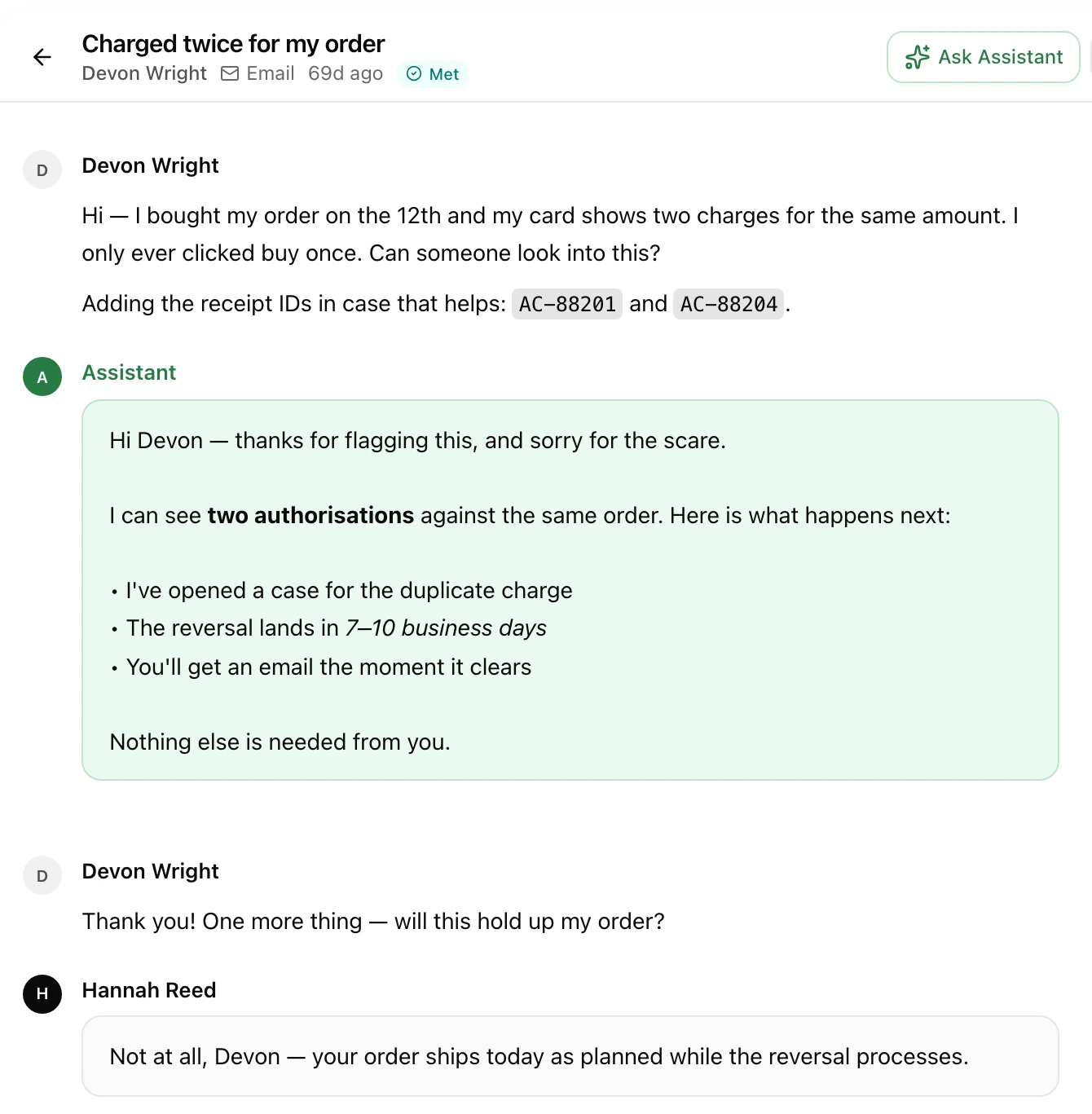
Resolve email, chat, DMs and comments with each customer’s history and your policies.
 Explore AI agents →
HelpdeskOne inbox for your team
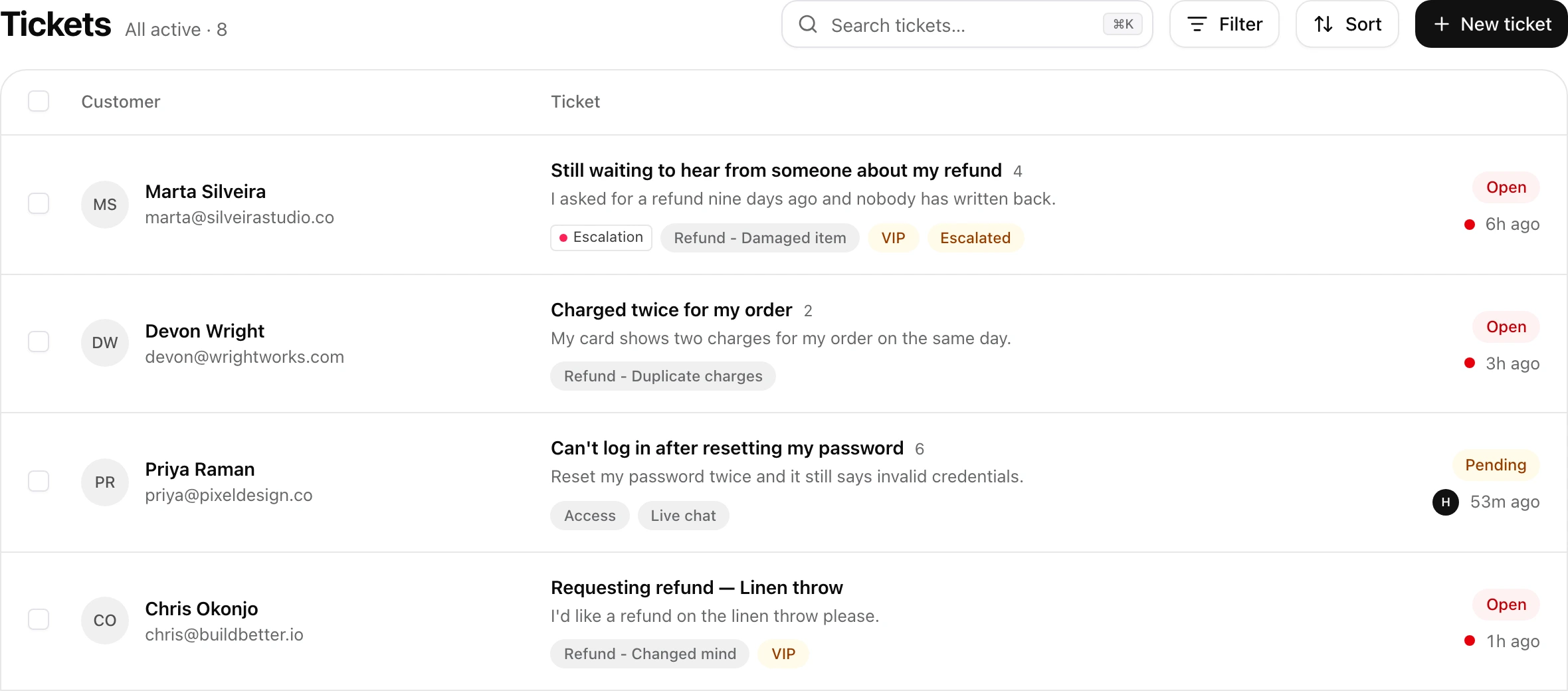
Every channel in one place, with purchases and history beside each ticket.
 Explore the helpdesk →
Refund managementRefunds you can trust
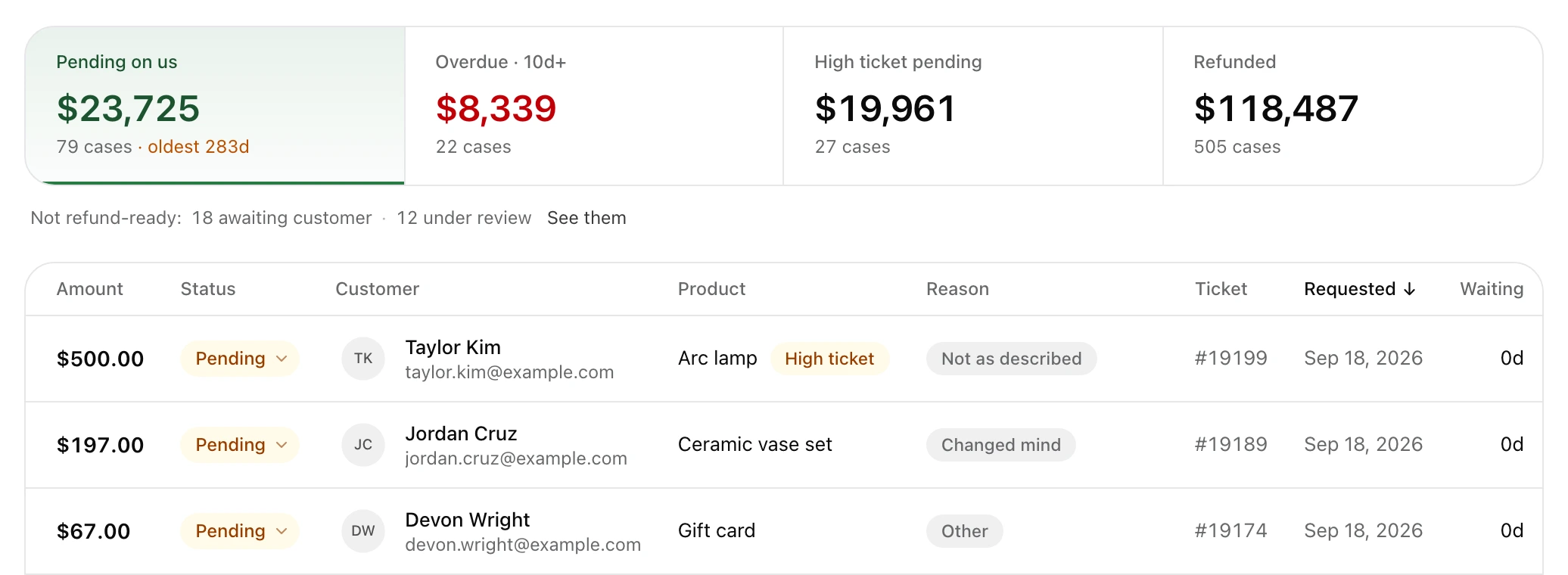
Every request checked against the purchase, with limits per agent and per day.
 Explore refunds →
What your first 14 days look like
- Day 1Connect
Your inbox, store, social accounts and community platforms.
- Days 2 to 3Teach
Add your policies and saved replies. The AI drafts, your team approves.
- Week 1Automate
Switch on auto-send for the topics where drafts go out unchanged.
- Day 14Decide
See what the AI resolved on your own tickets, then choose a plan.
Ready to see it on your tickets?
A 20-minute demo, built around the questions your customers actually send.